
How to disable Shopify's Customer Privacy banner
Overview
This article explains how to disable Shopify’s default Customer Privacy cookie banner when you use the Pandectes GDPR Compliance banner on your Shopify store.
Using only one cookie banner helps avoid confusing visitors and keeps the consent experience clear.
Before you start
Make sure that:
- The Pandectes banner is active.
- The Pandectes app embed is enabled in your theme.
- Your Shopify Customer Privacy regions are reviewed.
Steps to disable the Shopify banner
- In your Shopify admin, go to Settings > Customer privacy > Cookie banner.
- Click More actions.
- Select Remove cookie banner.
- Click Remove to confirm.
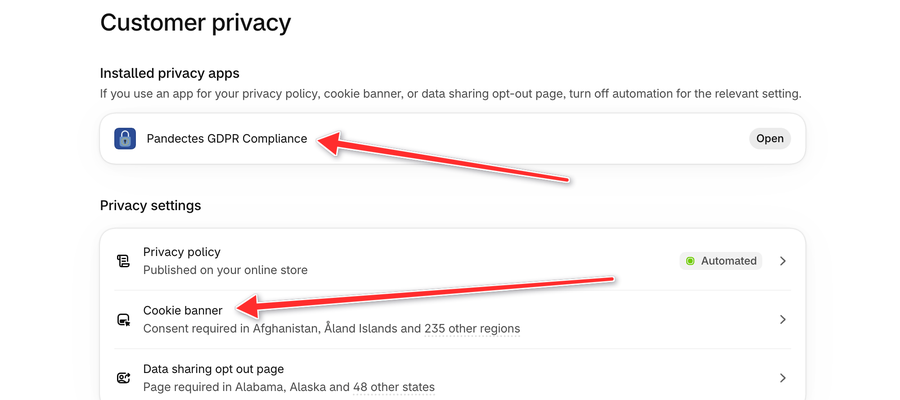
When the Shopify banner is removed, Visibility shows a Set up banner button and Pandectes GDPR Compliance is listed under Installed privacy apps.
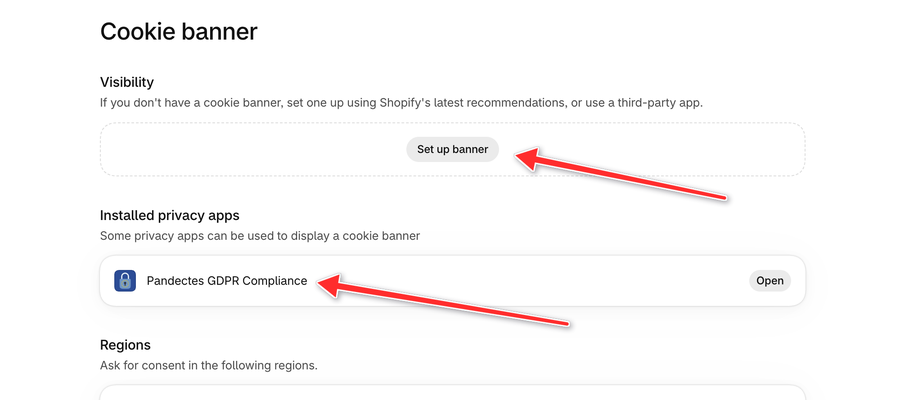
Review your consent regions
After removing the Shopify banner, review the selected regions in Settings > Customer privacy > Cookie banner > Regions. Click Edit to change them.
Keep the recommended regions selected if they apply to your store. Add more regions only if your store sells to visitors in those locations and you want consent controls to apply there.
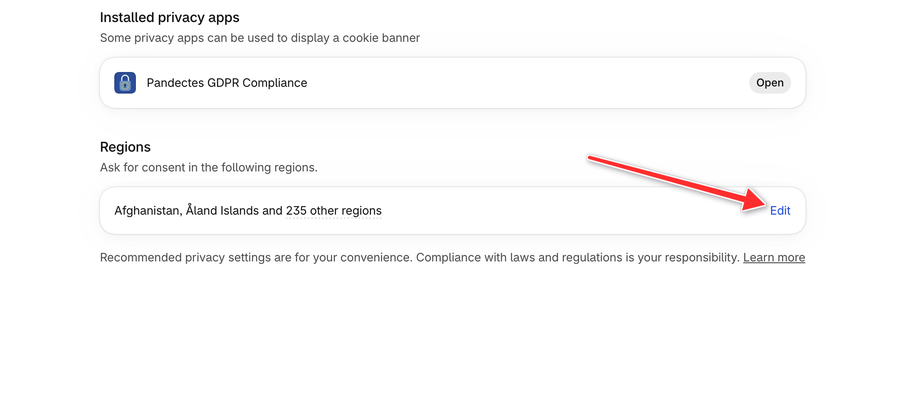
If you are using the new Pandectes banner, you can also follow this alternative guide for configuring consent regions: https://help.pandectes.io/en/article/consent-model-regions-new-version-jvhtj5/
Check your storefront
After saving the changes:
- Open your store in a private or incognito window.
- Confirm that the Shopify banner no longer appears.
- Confirm that the Pandectes banner appears correctly.
Need help?
If the Shopify banner still appears, or if the Pandectes banner does not show as expected, contact the Pandectes support team from inside the app or by email at [email protected].
Updated on: 03/11/2026
Thank you!